๐ŸŽฌ VIDEO SQUISHER BY KITKARL

Shrink your videos.
Keep the quality.

Video Squisher finds the strongest compression that still looks the way you asked โ€” and proves it against your original before keeping it.

Download free Buy Pro โ€” $29.99 once

Free: 5 videos a day, forever, no account. Windows ยท macOS ยท Linux.

You pick quality, not codec settings

Tell it how the video should look

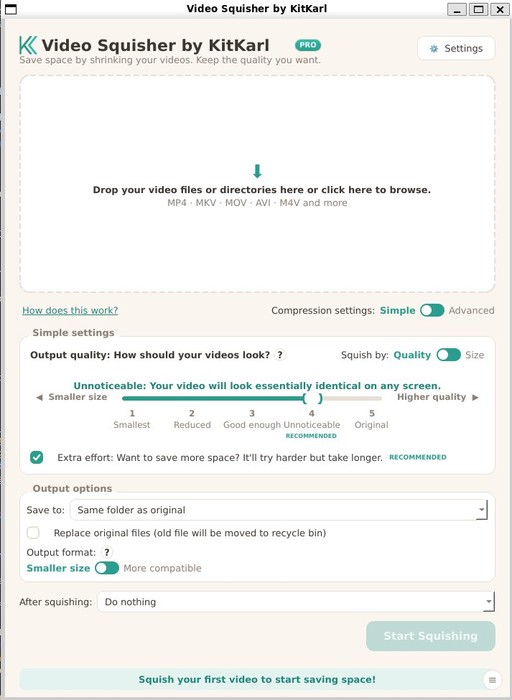
Smallest, Reduced, Good enough, Unnoticeable, Original โ€” a plain-English scale, not CRF numbers or presets.

It checks its own work

Every level is test-encoded and scored against your original with the same perceptual metrics streaming companies use (VMAF / SSIM / XPSNR).

Smallest file that passes your bar

It searches for the strongest compression that still meets your quality โ€” per video, automatically.

Never bigger

If the result isn't actually smaller, it's thrown away. If it can't save at least 5%, it tells you instead of wasting a re-encode.

Need it under 25 MB?

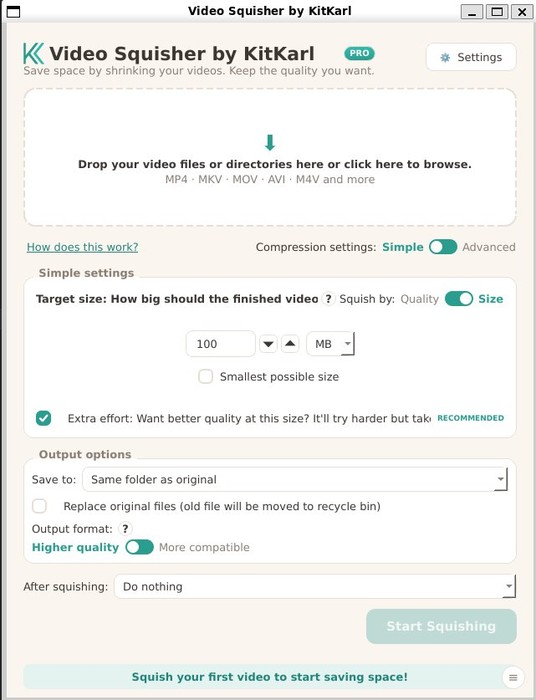
Target-size mode: type the size, it finds the best quality that fits.

Modern codecs, fast

AV1 or HEVC with NVIDIA, Intel, AMD, and Apple hardware encoding when available. FFmpeg ships inside โ€” nothing else to install.

The app

Main window โ€” drop videos, pick a quality word
Target-size mode
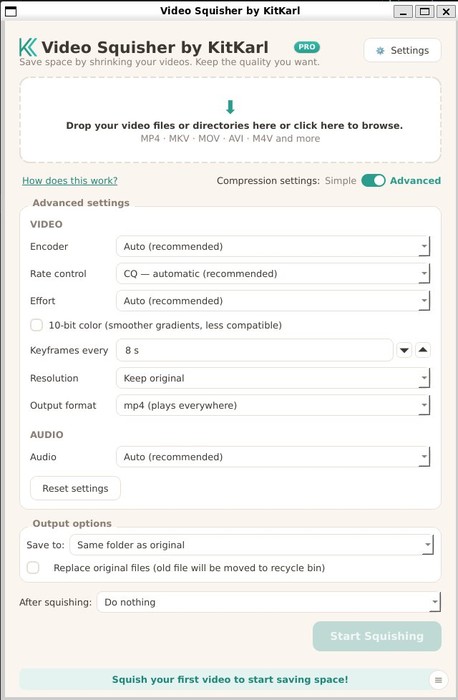
Advanced mode
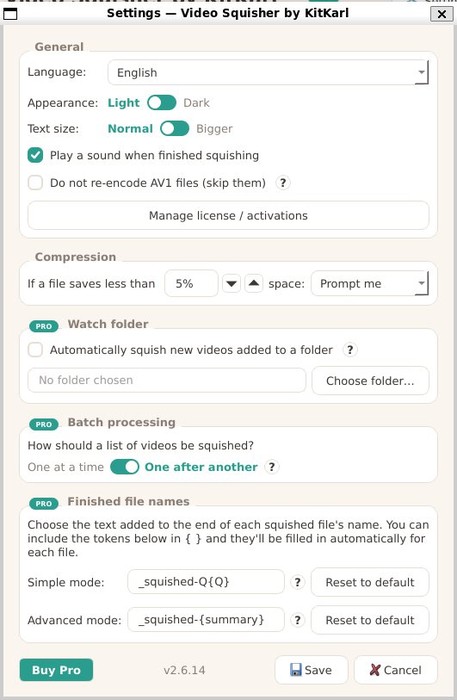
Settings

What's preserved

  • Full resolution at the top quality levels โ€” guaranteed by design
  • Subtitles, chapters, metadata, frame rate, aspect (portrait phone video handled correctly)
  • Audio โ‰ค128 kbps passes through untouched; higher becomes clean 128 kbps AAC
  • 10-bit color for 10-bit sources at high quality (HDR passes through)
  • Watch folders & batch mode (Pro): drop files in, get squished copies out
  • History with per-file savings and a lifetime space-saved counter

Private by design

Your videos never leave your computer. No uploads, no accounts, no cloud, no telemetry. The only network calls the app ever makes are an optional license check and an update check โ€” and it works fully offline after one-time activation.

Free vs Pro

FreePro โ€” $29.99 once
Videos per day5Unlimited
At onceOne at a timeWhole queue, auto-advance
Watch foldersโ€”โœ“
Everything else (quality engine, formats, updater)โœ“โœ“

One purchase ยท up to 3 machines ยท manage them yourself in the app ยท perpetual, no subscription.

Questions

Will it make my videos look worse?

You pick how they should look; at the default level the difference is engineered to be imperceptible, and the app scores its output against the original to hold that promise.

Does it upload my videos?

No. Everything happens on your machine.

What if it can't make a file smaller?

It tells you and skips โ€” you never end up with a bigger file.

Which platforms?

Windows 10/11 (64-bit), macOS 13+ on Apple Silicon (signed and notarized), and Linux (AppImage, .deb; Flathub listing in submission).

Why AV1?

Same look, roughly half the size of H.264. A one-switch "More compatible" (HEVC) mode exists for older devices.

Refunds and lost keys?

Both handled via Lemon Squeezy โ€” recover a key with your purchase email; refunds deactivate the license automatically.

Download free